What Is a Transaction ID? Meaning and How to Look It Up Quickly and Accurately
23/10/2026
What is a transaction ID? Learn its meaning, common types of transaction IDs, and how to look them up quickly and accurately when transferring money or making online payments.
When transferring money, paying bills, or shopping online, you have probably seen a string of characters on the receipt referred to as a transaction ID. So, what is a transaction ID, why is it important in financial transactions, and how can you look it up when reconciliation is needed? This article helps you understand transaction IDs, common types, and how to look them up accurately.
Note: The figures and information in this article are compiled from general market sources and do not apply exclusively to SeABank's products.
1. What Is a Transaction ID?
A transaction ID (also known as a lookup code, reconciliation code, Ref number, FT number, or Transaction ID) is a sequence of numbers or alphanumeric characters automatically generated by a bank, e-wallet, or payment gateway system as soon as a financial transaction is successfully initiated.
Each transaction generated (money transfer, cash withdrawal, bill payment, tax payment, etc.) is assigned a unique transaction ID. This code acts like the transaction's own "identity card," helping distinguish it from millions of other transactions taking place in the system.
Bank transaction IDs are unique strings of characters or numbers automatically generated by the banking system after you complete a financial transaction.
2. The Important Role of Transaction IDs in Finance
Although it is only a short string of characters, a transaction ID plays an important role for both users and financial institutions:
Proof of transaction: A transaction ID proves that funds have been deducted from or transferred out of the sender's system and serves as valid evidence if a dispute arises between the two parties.
Basis for reconciliation and issue resolution: When problems occur, such as a successful transfer where the recipient has not received the money, a pending payment, or a duplicated transaction, the transaction ID is essential information that allows the bank to investigate and resolve the issue promptly.
Supports quick lookup: With a transaction ID, customer service staff or automated systems can locate transfer information within seconds instead of manually searching by name or account number.
Transparent financial management: It helps individuals and businesses easily store and manage income and expense history and regularly review cash flows.
Transaction IDs play an important role in reconciliation and resolving money transfer issues
3. Common Types of Transaction IDs
Depending on the app or platform you use, transaction IDs may have different names and formats:
Bank transaction ID (FT/Ref Number): Appears on money transfer receipts in banking apps in Vietnam, for example: FT2308912345 or REF12345678.
E-wallet transaction ID: Generated when a transaction is made through an e-wallet, usually as a sequence of approximately 10 - 12 digits.
Public Service Portal/Tax Payment transaction ID: Used to look up the status of land tax payments, registration fees, or other online public service fees.
International money transfer identifier (SWIFT Code/MT103): Used to track funds in international money transfers between banks worldwide.
4. How to Look Up a Money Transfer Transaction ID in the Simplest Ways
If you need to check a transaction ID after transferring money or making a payment, you can use the following methods:
Method 1: View It Directly on the Notification Screen or Receipt
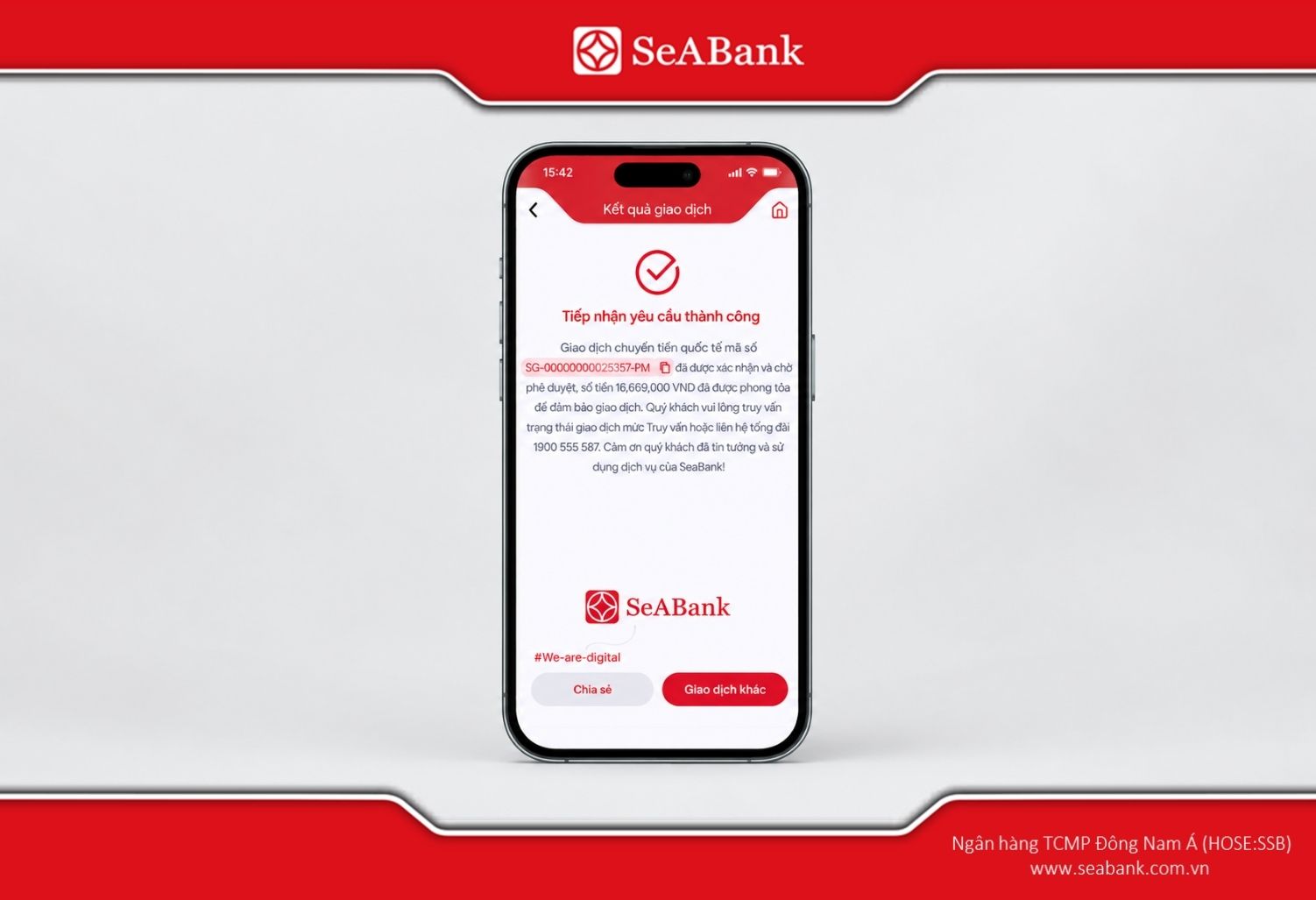
Immediately after completing a money transfer, the app screen will display the transaction receipt. The transaction ID is usually shown under fields such as Transaction ID, Lookup Code, Reference Number, or FT Number.
Method 2: Check the Transaction History in the App
Log in to the banking app or e-wallet you are using.
Go to "Transaction History" or "Balance Changes."
Select the specific transaction you want to check, and the detailed information, including the transaction ID, will be clearly displayed.
Method 3: Look It Up via Email or SMS
For bill payments, flight ticket purchases, or tax payments, the system usually sends a confirmation email or SMS. You only need to open the message/email to retrieve the transaction ID stored there.
Users can look up transaction IDs directly on banking apps or e-wallets
5. Important Notes About Transaction IDs
Take a screenshot of the receipt containing the transaction ID: After transferring money or making an online payment, you should make a habit of taking a screenshot or saving the receipt containing the transaction ID until the recipient confirms that the full amount has been received.
Protect personal information: Although a transaction ID is used for reconciliation, you should not publicly share receipts containing the full transaction ID, account number, and account balance on social media to avoid misuse by fraudsters.
Provide the correct transaction ID to customer service when support is needed: If a transaction encounters an error, providing the exact transaction ID to support staff will help speed up the investigation process.
6. Frequently Asked Questions About Transaction IDs
1. How Long Can a Transaction ID Be Looked Up After the Transaction Occurs?
The retention period for transaction IDs depends on each bank or e-wallet system. For convenience, you should save the receipt or transaction notification immediately after completing the transaction rather than relying solely on later lookup through the system.
2. What Should You Do If You Cannot Find the Transaction ID on the Receipt?
You can check the "Transaction History" section in the app, look for the confirmation email or SMS, or contact the service provider's customer service hotline for assistance with the lookup.
3. Can a Transaction ID Be Used to File a Complaint About a Mistaken Money Transfer?
Yes. A transaction ID is an important basis that helps the bank verify information, reconcile records, and handle mistaken transfers or transaction disputes.
4. Are Domestic and International Transaction IDs the Same?
No. Domestic transaction IDs are usually in the form of an FT/Ref Number, while international transactions use SWIFT or MT103 identifiers to track funds between banks worldwide.
Understanding what a transaction ID is helps you manage personal finances more proactively and quickly handle issues arising during money transfers and online payments. Each time you make a transaction, you should save the transaction ID, carefully check the receipt, and protect your personal information to avoid unnecessary risks. These precautions help make transaction lookup more convenient and efficient.
Easily track transactions with SeABank: If you are looking for a banking app that makes it convenient to look up transaction IDs and money transfer history, try the transaction management features on SeABank's SeAMobile. You can proactively check the details of each transaction anytime, anywhere and receive prompt investigation support when needed. Learn more at SeAMobile - SeABank Digital Banking App.
Southeast Asia Commercial Joint Stock Bank (SeABank)